
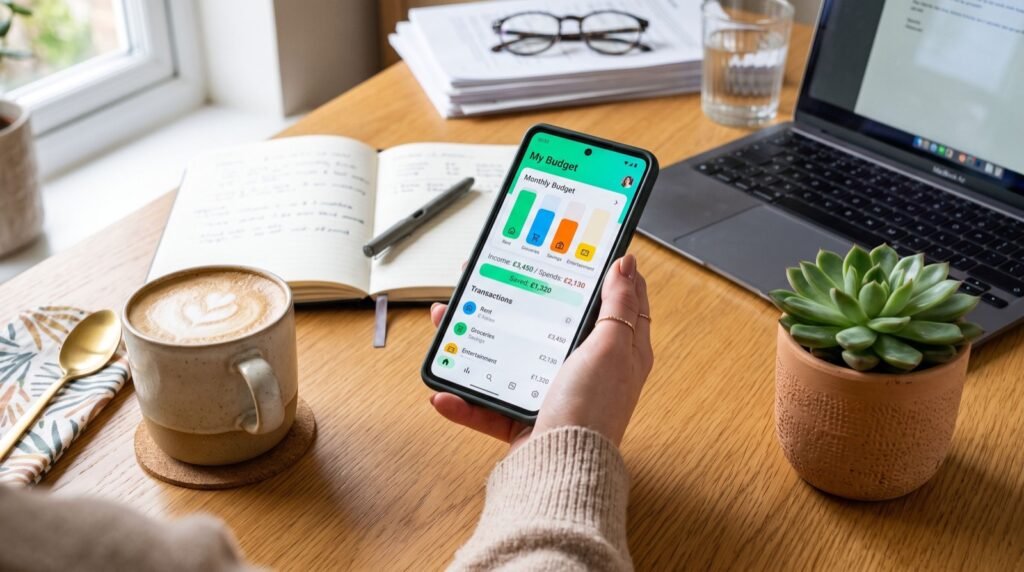
Peer-to-peer payments are wonderfully fast, but that speed is exactly what scammers try to exploit. A security-first Cash App guide helps you enjoy instant transfers without becoming the next cautionary tale. Knowing which fees are real, which messages are fake, and which settings protect you makes all the difference between a smooth experience and an expensive lesson.
This article skips the basic setup and focuses on the part most people gloss over: staying safe and avoiding surprise costs. We will break down the fee structure honestly, expose the most common scams circulating in 2026, and hand you a checklist of protective settings. Read it once and you will transact with real confidence.
What a Cash App guide should teach about fees
Fees are where casual users lose small amounts they never notice. The good news is that the fee logic is predictable once you understand it. Most everyday actions are free, and the paid ones are optional shortcuts.
A trustworthy Cash App guide always separates the free path from the paid path, because the difference is usually just patience. When you know which button costs money, you can choose the free route almost every time.
| Feature | Cost | How to avoid the fee |
|---|---|---|
| Sending from balance or debit | Free | Already free, no action needed |
| Sending from a credit card | Percentage fee | Fund transfers with a debit card instead |
| Standard bank cash-out | Free | Choose standard, not instant |
| Instant cash-out | Percentage fee | Wait one to three business days for free transfer |
| ATM withdrawal with Cash Card | Fixed fee | Meet direct-deposit requirements for reimbursement |
The pattern is clear: instant convenience and credit-card funding cost extra. Default to the free options and you will rarely pay a cent.
The scams every user must recognize
Scammers rely on urgency and confusion. The Federal Trade Commission reports that payment-app fraud has grown alongside adoption, and the tactics are surprisingly repetitive once you know them. Recognizing the pattern is your strongest shield.
- Fake support agents: No real employee will ever ask for your PIN or sign-in code.
- Cash flipping: Promises to “double” your money are always a theft.
- Accidental payment: A stranger sends money, then begs you to return it to a different account.
- Prize or giveaway bait: You are told to send a small fee to unlock a large reward.
- Rental or pet deposits: You pay a deposit for something that does not exist.
The common thread is pressure to act fast. When someone rushes you, that urgency itself is the warning sign, so pause and verify before you tap send.
How to verify a request before you pay
- Confirm the recipient’s $Cashtag character by character.
- Call or text the person through a channel you already trust.
- Never rely on contact info provided inside a suspicious message.
- Treat instant transfers like cash, since they are hard to reverse.
These four steps take seconds and stop the vast majority of scams cold. Building them into your routine is one of the smartest personal finance tips you can adopt this year.
Personal versus business: choose the right account type
Many scams and disputes trace back to using the wrong account type. Personal accounts are built for friends and family, while business accounts handle sales and customers. Mixing them creates confusion and can cost you money.
The distinction matters most around fees and taxes. Payments marked as goods and services on a business profile may carry a processing fee, and larger volumes can trigger tax reporting. Choosing correctly from the start saves headaches later.
- Use a personal account only for splitting bills and reimbursing friends.
- Use a business account when you sell products or accept customer payments.
- Keep clear records if you use the app for any income.
- Expect a tax form when business receipts cross federal reporting thresholds.
Why “friends and family” is not buyer protection
Here is a hard-earned insight: sending a payment to an online seller as if they were a friend removes any dispute path. If the item never arrives, you have almost no recourse. Treat unfamiliar sellers with caution, and never use personal transfers to pay strangers for goods.
Lock down your account settings
Security is not only about spotting scams, it is also about hardening your account so a lost phone does not become a disaster. A few settings do most of the work.
- Enable the app PIN or Face ID so payments require verification.
- Turn on notifications for every transaction to catch fraud instantly.
- Keep your app updated so you receive the latest security patches.
- Use a strong, unique password on the email tied to your account.
If your phone is ever stolen, contact support immediately and disable the Cash Card from another device. Fast action limits the damage dramatically.
Teach the habit to family members
The people most likely to get scammed are often the ones who set up an account without guidance. Older relatives and first-time users benefit hugely from a short walkthrough. Spending ten minutes now can save a loved one from a painful loss later.
Focus their attention on three simple rules that stop most fraud. Repeat these until they become instinct, because scammers count on hesitation and confusion to succeed.
- Never send money to someone you have not met in real life.
- Never share a sign-in code with anyone, for any reason.
- Always pause and verify when a message creates urgency.
What to do if you are scammed anyway
Even careful people get caught sometimes. If it happens, report the transaction inside the app right away, then dispute it and document everything. You can also file a complaint with the Consumer Financial Protection Bureau, which tracks patterns and can prompt action.
For choosing safe tools in the first place, comparing vetted Cash App guide resources and reviews helps you understand each app’s protections. Recommendations from reputable service experts can also steer you toward genuinely secure options.
Frequently Asked Questions
Does this Cash App guide cover how to get refunds?
Yes, refunds start with requesting the money back from the recipient directly. If that fails, dispute the payment in the app and report any fraud immediately.
Is my money insured on payment apps?
Balances are often held at FDIC-insured partner banks, but coverage varies. Confirm the specific insurance details before keeping large sums in any app.
How can I tell if a support message is fake?
Genuine support never asks for your PIN, password, or sign-in code. Any message requesting those details is a scam, no matter how official it looks.
Are instant transfers worth the fee?
Only when you truly need the money immediately. For everyday transfers, the free standard option arrives within a few business days and costs nothing.
Transact with confidence
Staying safe online is a skill, and this Cash App guide gives you the exact habits to master it. Choose free options over instant ones, recognize the recurring scam patterns, lock down your settings, and act fast if something goes wrong. Follow this approach in 2026 and you will keep both your convenience and your cash.